
Unsubscribe from every unwanted email in Gmail — in one click
Gmail Unsubscribe finds every mailing list in your inbox, unsubscribes you from all of them at once, and deletes the emails they left behind. The first cleanup usually takes under two minutes.
Free forever plan · No card required · 100% private
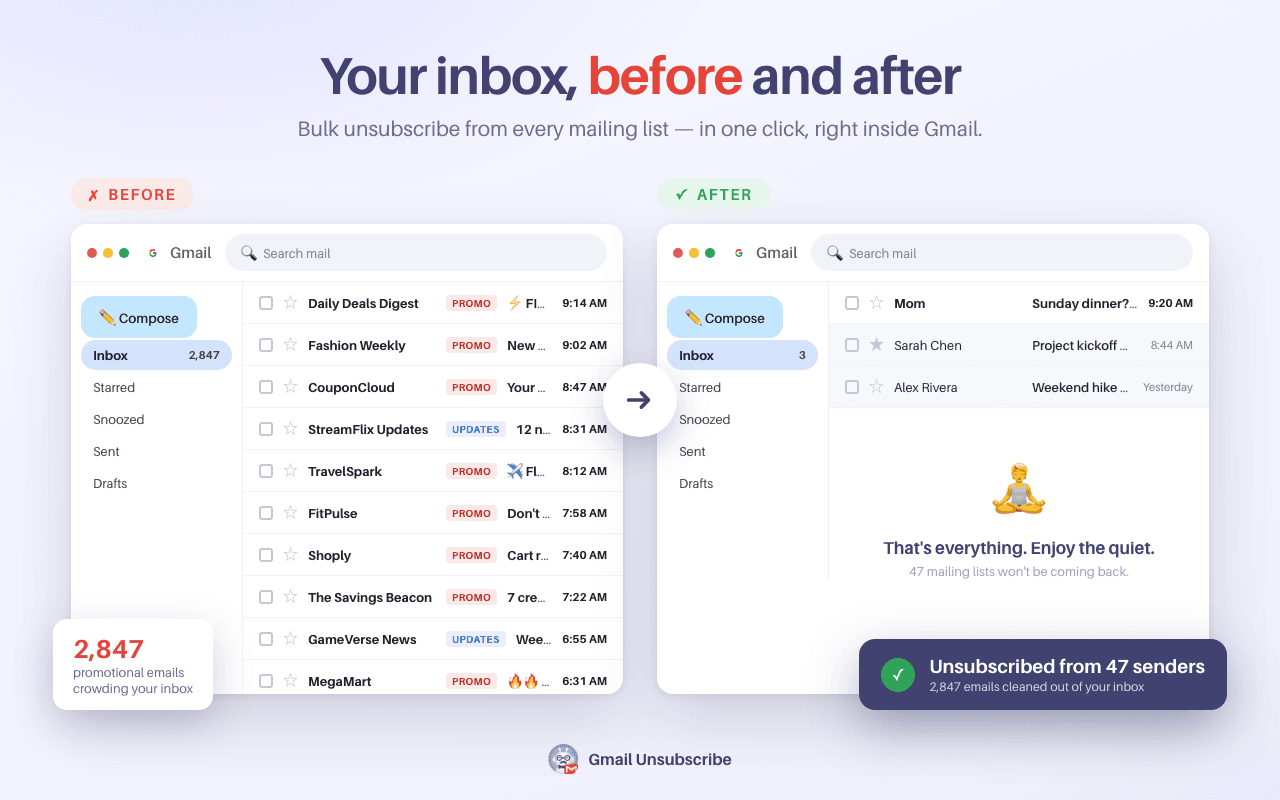
How to bulk unsubscribe from emails in Gmail
No new app, no forwarding your mail somewhere else. It works right inside Gmail.
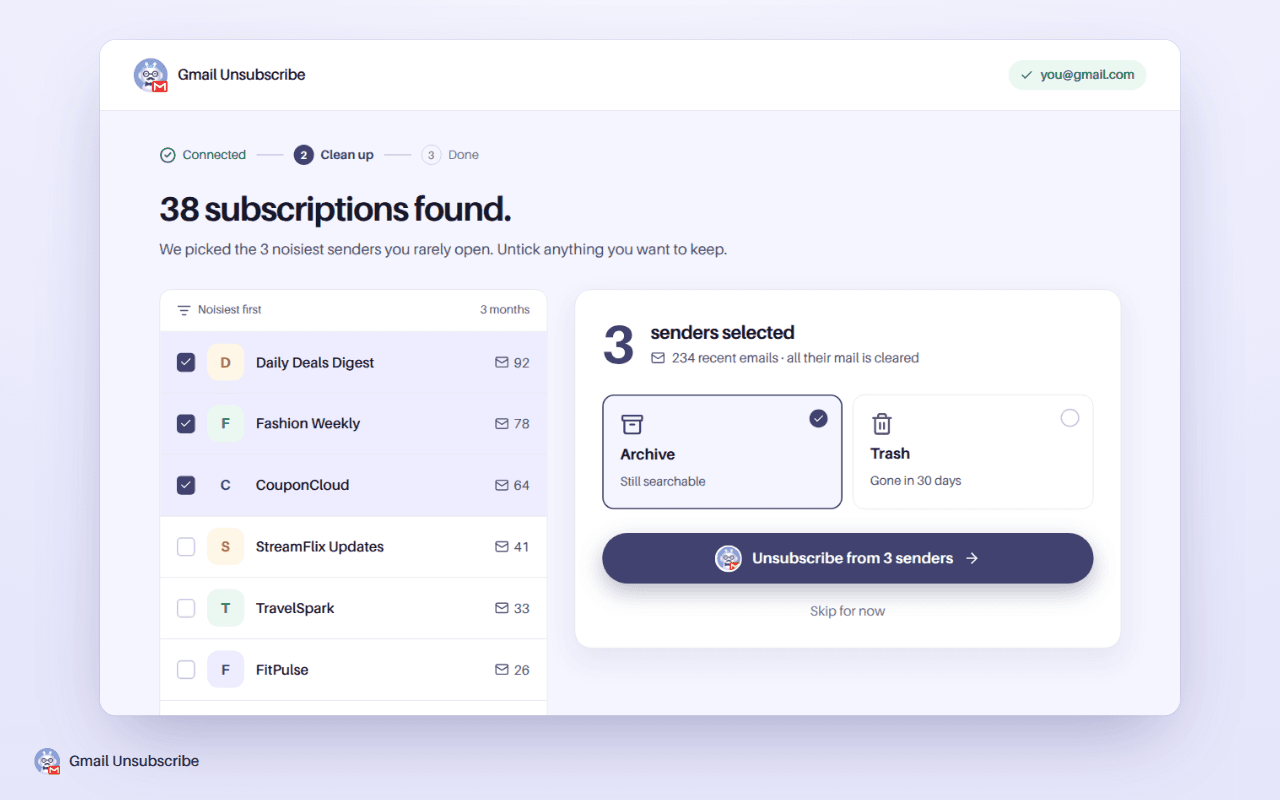
- Open Gmail and click the Unsubscribe button in your toolbar.
- See every subscription. The extension scans your inbox and lists each sender, with how many emails they've sent you and how recently.
- Tick the senders you're done with. Tick one, or tick fifty.
- Click once. You're unsubscribed from all of them — and, if you choose, their old emails are deleted or archived in the same click.
Why unsubscribes from this extension actually stick
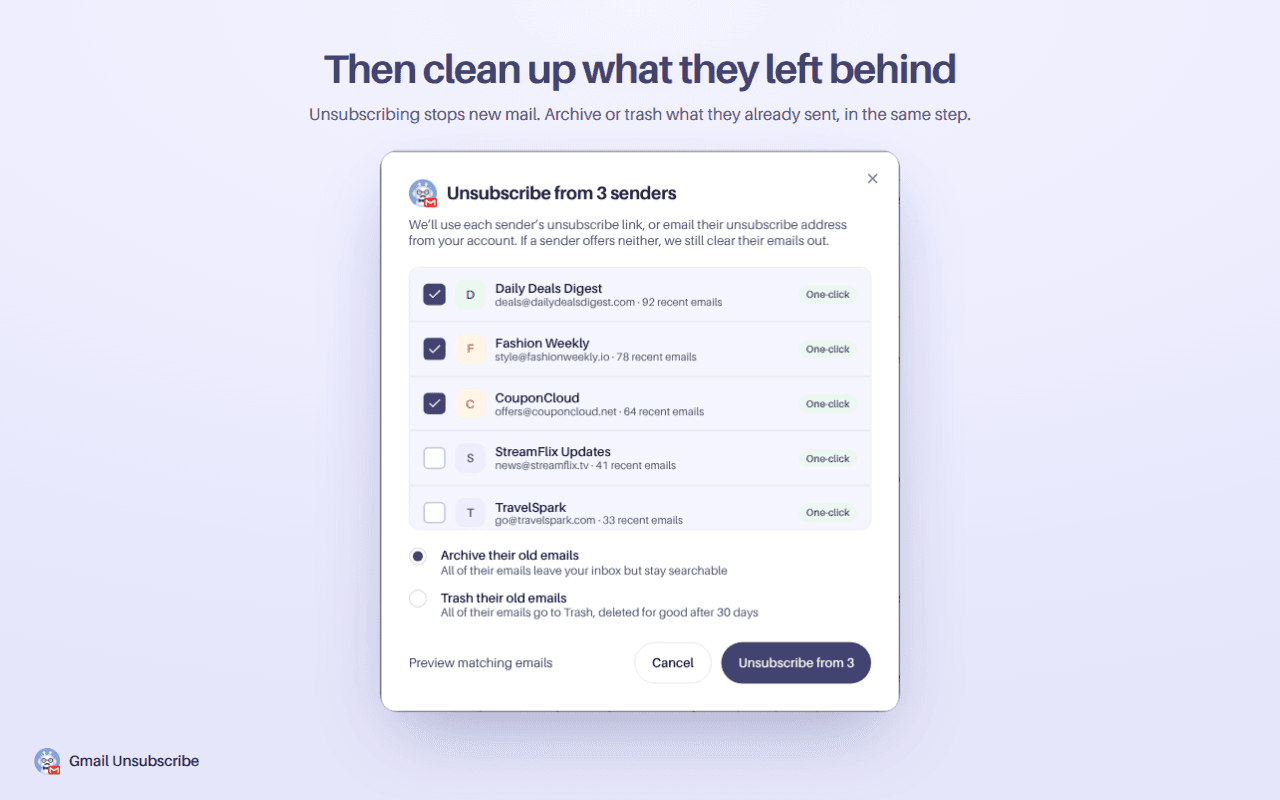
Most cleanup tools just hide unwanted mail — they filter it into a folder, or archive it, and the senders keep sending. Gmail Unsubscribe uses each sender's official unsubscribe mechanism instead.
- One-click unsubscribe — the modern standard (RFC 8058) that reputable senders are required to honor.
- Unsubscribe-by-email — sent from your own Gmail address, for senders that require it.
- Direct unsubscribe request — a fallback for everyone else, plus a sender-wide search when one thread has no working link.
- Per-sender results — unsubscribed, pending, or "this one needs a manual step," so you always know where you stand.
Everything you need to clean your Gmail inbox
Bulk unsubscribe
Leave one mailing list or fifty in a single click. Every unsubscribe runs in the background, so nothing blocks you while it works.
Bulk delete & archive
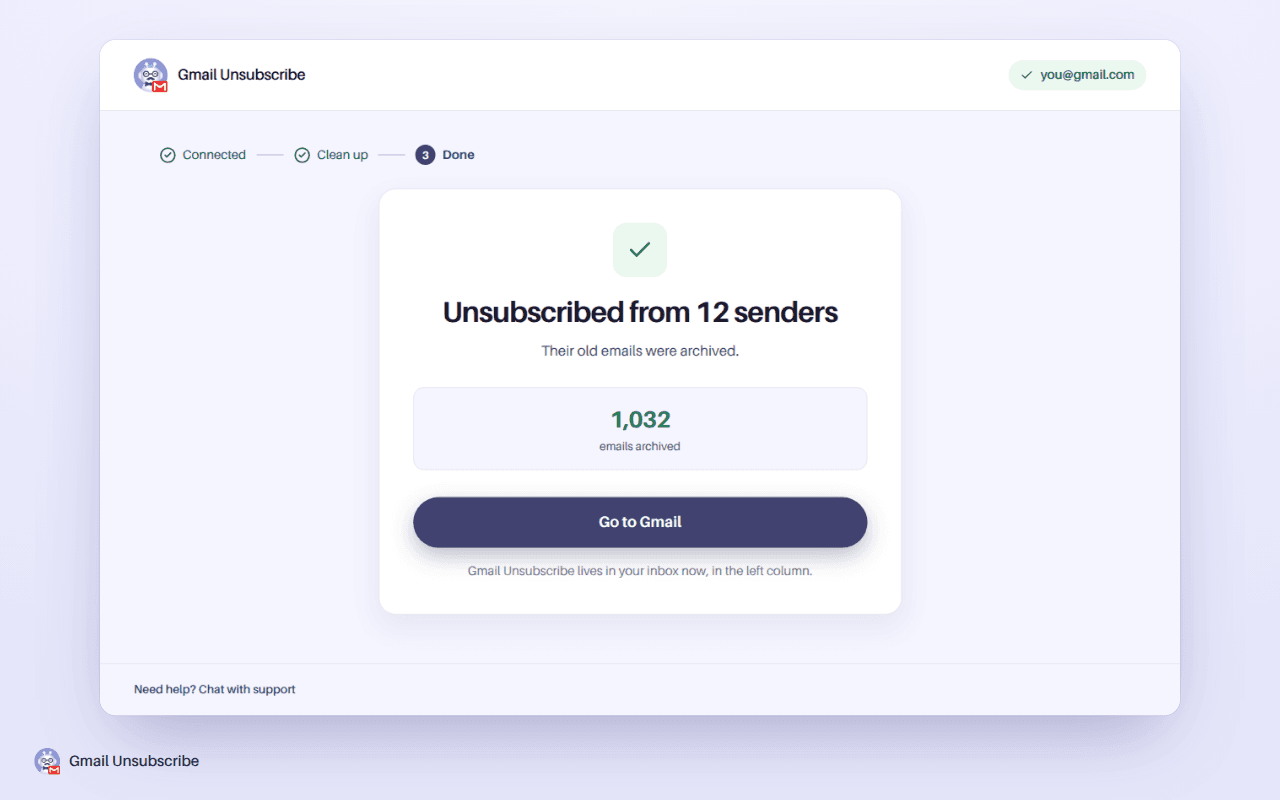
Delete or archive everything a sender ever sent you, in the same action as unsubscribing — the fastest way to clear years of buildup.
Whole-inbox scan
Connect Gmail and instantly see every subscription — including the newsletter you haven't opened since 2021, not just recent senders.
Free up Google storage
Sort senders by volume, see who's actually filling your storage, and clear it without touching mail that matters.
Simplified Gmail view
An optional decluttered Gmail: minimal header, a focused reading column, and hover-reveal controls. Off by default — your call.
Private by design
Your messages aren't stored, sold, or shared. Unsubscribe emails go from your own account, to the sender — exactly as if you'd done it by hand.
What about Gmail's built-in "Manage subscriptions"?
Gmail's own subscription manager is a good start, and for light cleanup it may be all you need. Here's where the extension goes further:
| Gmail built-in | Gmail Unsubscribe | |
|---|---|---|
| Senders shown | Mostly frequent, recent senders | Every list in your last 3 months of mail, with counts |
| Unsubscribing | One sender at a time | Your entire selection in one click |
| Old emails | Left behind | Deleted or archived in the same action |
| Storage cleanup | — | Sort by volume, clear the biggest offenders |
See it in action
A few situations where it earns its keep
- Your Google storage is full and most of it is promotional email you'll never read.
- You signed up for shops, apps, and newsletters over the years and your inbox is now mostly noise.
- You're setting up email for a family member and want to hand back a calm inbox.
- You keep missing mail from real people because it's buried between promotions.
Simple pricing
Start free. Upgrade only if you're doing a big cleanup.
Free
$0
- Unlimited inbox scans
- 25 senders a month, unsubscribed and cleared out
- Archive or trash their old emails
Pro
$35.88/year — less than $3/month
- Everything in Free
- Unlimited senders, no monthly cap
- Auto-clean rules, labels and an assistant
- One big cleanup usually pays for the year in saved storage alone
Privacy, plainly
Your email is yours. We don't store your messages, we don't sell or share your data, and unsubscribe requests that need to be emailed are sent from your own account, by you, to the sender, exactly as if you'd done it by hand. The extension exists to remove noise from your inbox, and that's the only thing your data is used for.
Frequently asked questions
Why do emails keep coming even after I unsubscribe?
Two common reasons: some tools only archive or filter mail instead of actually unsubscribing, and some senders run many separate lists (so leaving one still leaves five). We use the sender's official unsubscribe mechanism per list, and show you the result for each one. Some senders also take days to act, up to 10 business days for a request sent by email.
Can I delete all emails from one sender at once?
Yes. Pick the sender in a cleanup and choose Archive or Trash: everything it sent you is cleared out in the same step, except the emails you starred. It works on any sender, including ones with no unsubscribe link. On the free plan, each sender you clear out counts toward your 25 a month.
Will this touch emails from real people?
No. The scan identifies mailing lists and bulk senders. Personal mail is never part of a cleanup unless you explicitly select a sender yourself.
Does it work on old subscriptions I haven't opened in years?
Yes, as long as they still email you. The scan reads your newest emails from the last three months, so every list still sending to you shows up, however long ago you joined it. Clearing a sender out isn't limited to those months: Archive takes all of their mail out of your inbox, and Trash moves everything they ever sent you.
What happens when I hit the free limit?
You can keep scanning for free. Unsubscribing from a sender or clearing out its old mail counts toward 25 senders a month (each sender counts once, and the count resets monthly). If you're doing a big one-time cleanup, Pro removes the limit.
I unsubscribed from a sender by mistake. Can I undo it?
Yes, for 30 days: Undo in the dashboard's history puts back the emails a cleanup moved. The unsubscribe request itself can't be taken back, so to get their emails again, sign up on the sender's site. Nothing is ever permanently removed without going through Gmail's own trash.

Ready for a quieter inbox?
Join 104,000+ people who've installed Gmail Unsubscribe. Your first cleanup takes about two minutes.
Add to Chrome — It's Free